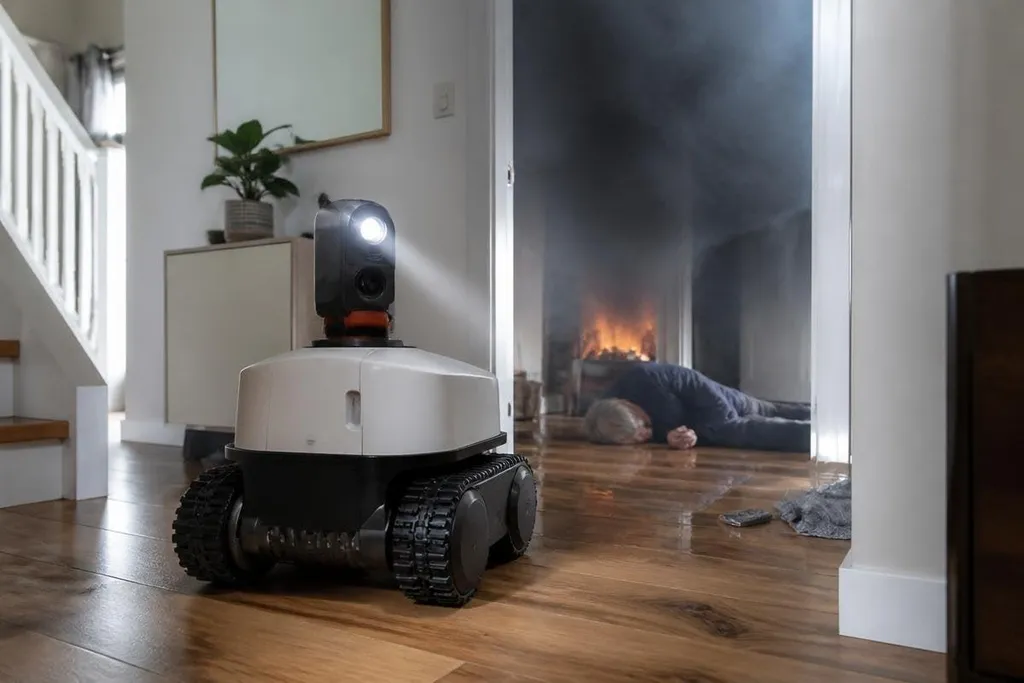
A home robot that spots smoke, finds a person, or carries a phone during a power cut could help before emergency workers arrive. The hard part is making it useful when lights are out, floors are wet, and the person in danger may not be able to give instructions.
Quick read
- Sensors can spot heat, smoke, water, and movement.
- Remote control may matter more than full autonomy.
- A home robot needs safe failure modes and a simple alert path.
Start with the emergency
One machine can't solve every home emergency with one body and one software package. A machine built for a kitchen fire needs heat sensors, a camera that can work through low visibility, and a way to send an alert without relying on the home's main power or Wi-Fi.
Flooding creates a different job. During a flood, the robot could inspect a wet floor, find the source of water, and check rooms that people may avoid entering. Its wheels, battery, and electronics would need protection from water, while its control system would need to avoid stairs and loose objects.
A medical emergency has a smaller physical task and a harder communication task. The robot may need to carry a phone, turn on a light, speak to someone on the floor, or send the person's location to a contact. It shouldn't move an injured person unless a trained system and clear safety rules support that action.
What the robot needs to do
The useful parts are easy to describe. A robot needs to sense its surroundings, move through the home, communicate, and keep working when one part fails.
A camera can show a remote operator what is happening. A microphone and speaker can help that operator speak with someone in another room. Thermal sensors may point to a hot surface or a person in smoke, while water sensors can show where a flood has spread.
Movement brings harder limits. A robot that works on a flat floor may stop at a doorstep, thick carpet, stairs, or a fallen object. A tracked base can cross some uneven surfaces, while a wheeled base may use less power and fit through narrower spaces. The right design depends on the home.
A remote operator can steer a robot around a blocked doorway or stop it near a person when its sensors lose the route. Robot24.com reports can tie that control method to command delay and the tasks completed without help. That record gives a family a clear test: can someone take control before the robot causes harm?
Remote control may come first
Full autonomy sounds useful during an emergency, yet a remote operator can handle tasks that a robot still finds hard. They can choose which room to inspect, ask a person where they are, and stop the machine when the route becomes unsafe.
That link needs to work under poor network conditions. A local control mode could let the robot stop, return to a charging point, or send a basic alarm when the internet drops. The system should also tell the operator when a sensor is blocked or the battery is low.
I'd want a home robot to prove these simple actions before it claimed to manage a serious emergency. A clear video feed, a loud alarm, and a physical stop button may help more than a long list of clever features.
The limits that matter
A home robot can't replace firefighters, paramedics, or trained carers. It may also create a new risk if people wait for it instead of leaving a dangerous room.
Heat, smoke, water, dust, and broken glass can damage the robot or hide useful sensor readings. A machine that loses power in a hallway may block an exit. A robot with a moving arm could knock over objects or hurt someone who is confused or injured.
The alert system needs careful design too. A false alarm can send people into danger, while a missed alarm can delay help.
The robot should state what it detected, where it detected it, and when the reading may be unreliable.
A buying checklist
Before buying or building a home emergency robot, check these points:
- Name the job: Choose fire alerts, remote inspection, medical contact, or another defined task.
- Check the route: Measure door widths, floor changes, stair access, and the places where the robot must stop.
- Test communications: Confirm what still works when Wi-Fi, mobile service, or mains power fails.
- Set human control: Look for remote operation, a physical stop button, and a clear return or shutdown action.
- Plan the alert: Decide who receives the message and what information it contains.
- Review upkeep: Check charging, sensor cleaning, battery replacement, software updates, and repair access.
The first useful home emergency robot may be a slow mobile sensor with a camera and a reliable alarm. That is a narrower product than a machine that handles every crisis, but it gives designers a job they can test: reach the room, report what it sees, and stop safely when the home becomes too dangerous.